How to Create a Chamfer Mill Operation in Siemens NX
Watch the Video!
Need a video to help you through this process? Then check out the video on youtube!
In CNC machining, a "perfectly square" edge is rarely the goal. To ensure safety, fit, and professional aesthetics, we almost always need to break those edges with a chamfer. While it looks simple on paper, setting up a chamfer mill operation in Siemens NX requires a bit of technical finesse—especially when it comes to tool positioning.
In our latest tutorial, we walk you through the process of creating a clean, consistent chamfer mill operation using Planar Profile.
Why Chamfer Milling is Tricky
The biggest challenge with chamfering is the "tip" of the tool. Because the tip of a chamfer mill has zero (or very low) surface speed, you never want to cut with the very point. If you do, you'll likely see burrs or even tool breakage.
In this video, we show you how to solve this by using offsets.
Key Steps for a Perfect Chamfer
1. Tool Definition
First, you need the right tool. We show you how to define a Chamfer Mill in the NX Tool Library, ensuring the included angle (typically 90°) and the tip diameter are accurately modeled.

2. Selecting the Geometry
One of the best things about NX 12 is its ability to recognize edges. Whether your chamfer is already modeled in CAD or you are adding a "deburr" to a sharp corner, we show you how to select the edges without the toolpath gouging the vertical walls of your part.
3. Calculating the Offset
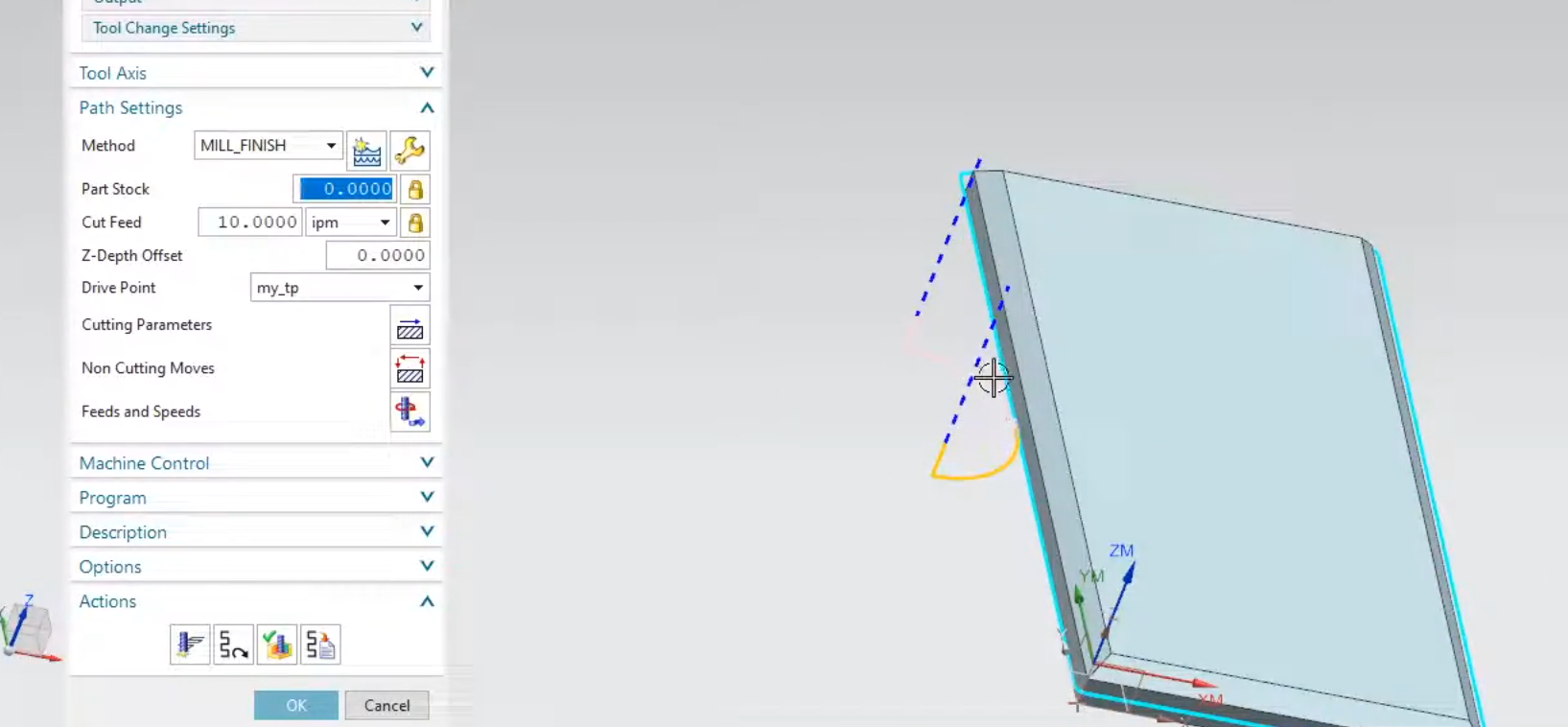
This is the "secret sauce." To protect the tool tip, we demonstrate how to:
Shift the tool downward so the cut happens on the "meat" of the flute.
Offset the tool horizontally to maintain the correct chamfer width.

4. Verification
Before you send code to the machine, you have to verify. We use the 3D Dynamic Verification tool in NX to ensure the tool clears the clamps and that the chamfer size is exactly what the print requires.
Efficiency on the Shop Floor
By mastering these chamfering operations in NX, you eliminate the need for manual deburring at the bench. This not only saves time but ensures every part that comes off your machine looks identical and professional.
Next Steps: Optimize Your NX CAM Workflows
A chamfer milling operation is highly effective, but its efficiency depends on clean geometry preparation and standardization. Continue mastering your shop floor programming with our step-by-step CAM guides:
Prepare Part Files for Toolpaths: Learn how to clean up, optimize, and organize your model data before applying cutters using our guide on Preparing Hole Geometry for CAM in Siemens NX.
Automate Your Machining Setups: Stop rebuilding your coordinate systems and tool libraries for every project. Learn how to embed your pre-configured chamfer operations into a reusable Custom NX CAM Manufacturing Template.
Scale These Workflows Across Your Engineering Team
Standard software tutorials only go so far when facing unique, real-world production bottlenecks. If your design team is struggling with workflow inefficiencies, modeling errors, or assembly instability, we can help.
At JIVE Engineering, we provide specialized Corporate Engineering & CAD Training customized entirely around your company’s native production files and internal design standards. We move your team past basic button-clicking and equip them to build robust, failure-proof modeling workflows that save hours of engineering time.
Explore Our Custom Training Programs or Contact Our Team today to discuss your team's specific training needs.