Preparing Hole Geometry for CAM in Siemens NX
Watch the Video!
Need a video to help you through this process? Then check out the video on youtube!
When it comes to CNC programming, the "perfect" CAD model isn't always the "perfect" CAM model. Often, the holes we receive in a design file aren't optimized for the toolpaths we need to generate—especially when dealing with "dumb" geometry or complex assemblies.
In our latest tutorial, we look at how to bridge the gap between design and manufacturing by creating precise hole geometry specifically for the CAM environment in Siemens NX 12.
Key Techniques Covered in the Video
1. Creating Geometry Parents
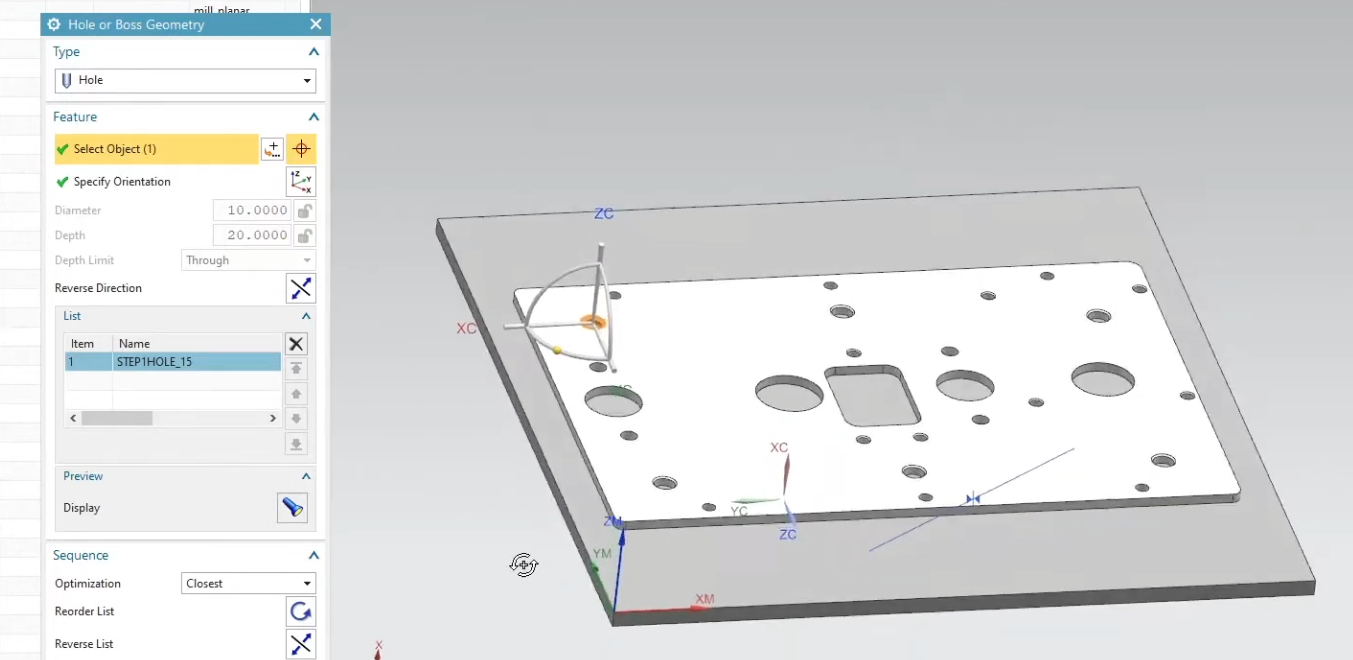
We show you how to create a hole parent so all operations reference that instead of you having to click the same holes over and over.
2. Establishing the Correct Parent
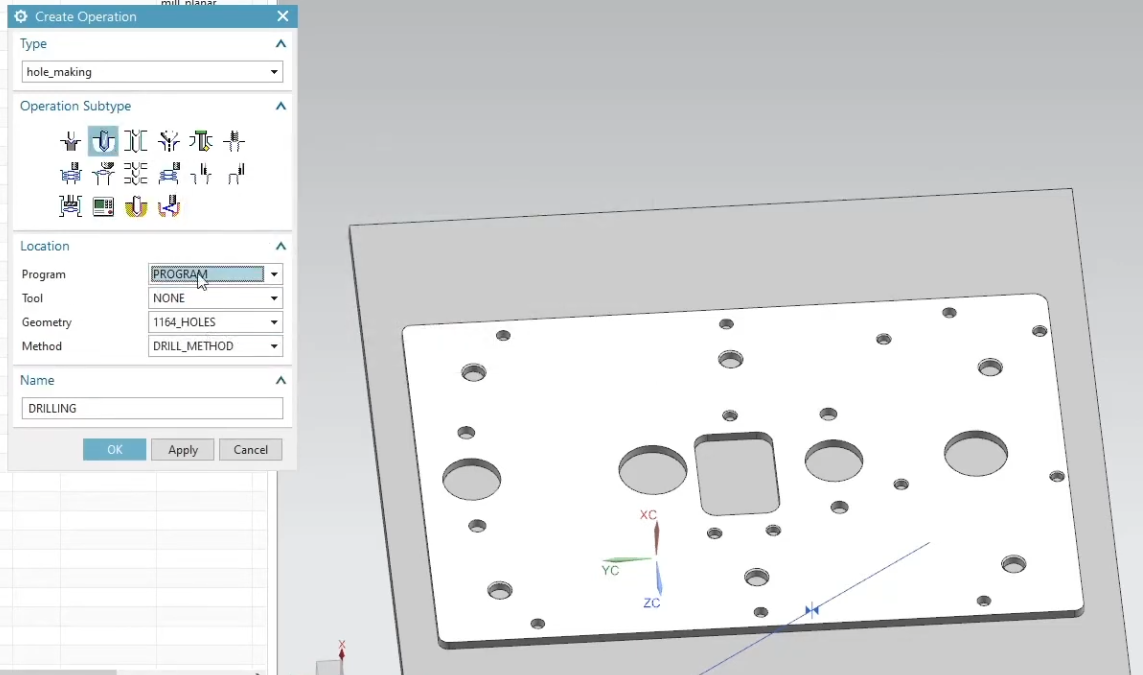
When creating operations, we want to make sure we select the correct parent geometry.
Why This Workflow Saves Time
By preparing your geometry correctly , you save yourself the time of having to select these holes over and over again.
Next Steps: Expand Your Toolpath Control & Machining Speed
Cleaning up your part geometry is the essential first step toward generating rapid, error-free NC code. Continue mastering your shop floor programming and finish operations with these step-by-step NX CAM guides:
Program Sharp Hole Edges and Pockets: Once your holes are prepped and drilled, learn how to safely break the top edges and program perfect deburring routines with our guide on creating a Chamfer Mill Operation in Siemens NX.
Master 2.5-Axis Flat Surface Roughing: Establish perfect reference faces and cut open pockets before starting your drilling routines by applying the foundational workflows from How to Use Planar Mill in NX CAM.
Scale These Workflows Across Your Engineering Team
Standard software tutorials only go so far when facing unique, real-world production bottlenecks. If your design team is struggling with workflow inefficiencies, modeling errors, or assembly instability, we can help.
At JIVE Engineering, we provide specialized, bespoke Corporate Engineering & CAD Training customized entirely around your company’s native production files and internal design standards. We move your team past basic button-clicking and equip them to build robust, failure-proof modeling workflows that save hours of engineering time.
Explore Our Custom Training Programs or Contact Our Team today to discuss your team's specific training needs.