The Pattern Feature in NX 2206: Beyond the Basics
Watch the Video!
Need a video to help you through this process? Then check out the video on youtube!
If you are only using the Pattern Feature for simple circular or linear arrays, you are barely scratching the surface of what Siemens NX can do. In modern CAD design, the ability to automate repetitive geometry—while keeping it "intelligent"—is what separates a hobbyist from a professional engineer.
In our latest deep-dive tutorial, we explore the advanced side of the Pattern Feature in NX 2206, covering everything from spreadsheet integration to complex variable increments.
Why "Simple" Patterns Aren't Always Enough
A standard pattern assumes every instance is identical. But what if your bolt holes need to get slightly larger as they move along a curve? Or what if your heat sink fins need to change height based on an Excel sheet?
In this video, we move past the "Linear" and "Circular" defaults to show you the true logic behind the tool.
Advanced Techniques from the Tutorial
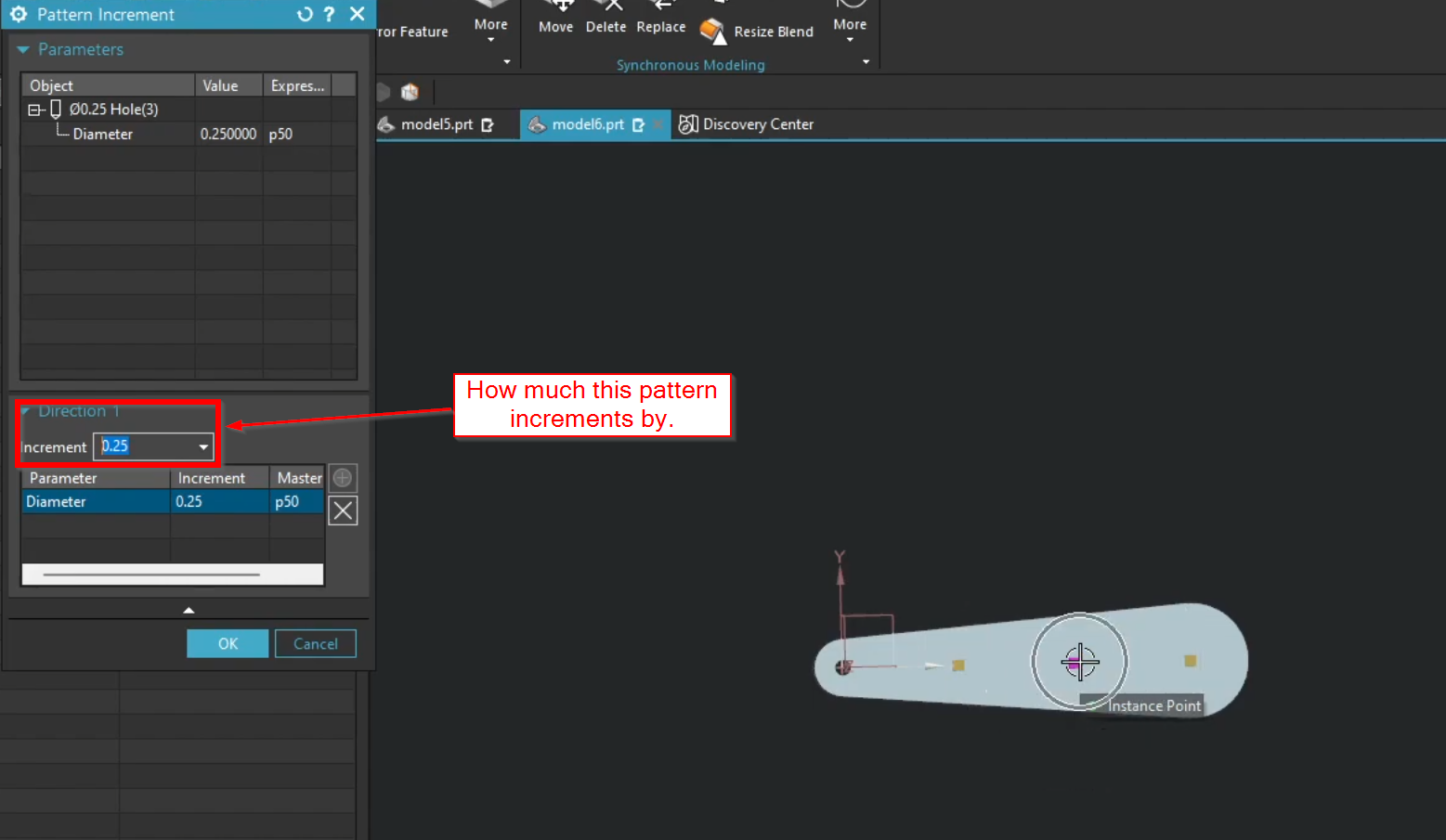
1. Patterning with Increments
This is where the magic happens. We show you how to use Increments to change a feature's parameters as it patterns. You aren't just moving the feature; you are evolving it.
Example: Changing the diameter of a hole or the height of a boss by a fixed value (e.g., +2mm) for every instance in the array.
2. The Spreadsheet Method (Excel Integration)
Sometimes, math isn't enough—you need specific data. We demonstrate how to drive a pattern using an Excel Spreadsheet. This allows you to define exact X, Y, and Z coordinates (or any expression value) for every single point in the pattern. This is a lifesaver for complex, non-uniform layouts.

3. Understanding Pattern Methods
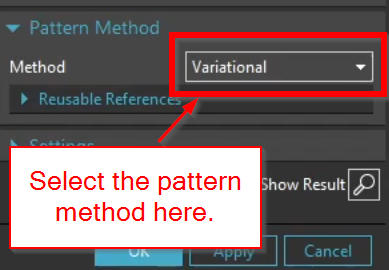
NX gives you choices on how it calculates the pattern:
Simple: Fast, but limited.
Variational: Slower, but essential if your pattern needs to adapt to a changing surface or if your increments are complex. Useful also for calling out holes with the Hole Callout command in drawings.
Automate Your Design Workflow
By mastering these advanced patterning techniques, you stop "modeling" and start "programming" your parts. This level of automation ensures that when your design requirements change, your model updates in seconds, not hours.
Next Steps: Automate Scaling & Analyze Large Assemblies
Mastering advanced feature patterning is the key to accelerating your modeling velocity. Take your automation skills to the next level and analyze the physical impact of your design arrays with these guides:
Automate Component Variations: Use your pattern logic to drive standard part variations instantly. Learn the complete configuration process with our guide on Mastering Siemens NX Part Families: The Standard Workflow.
Analyze the Weight of Component Arrays: Replicating heavy geometric features or components across a layout directly shifts your physical properties. Learn how to track these changes using our guide on How to Find Mass Properties & Center of Gravity (CG) in Siemens NX.
Scale These Workflows Across Your Engineering Team
Standard software tutorials only go so far when facing unique, real-world production bottlenecks. If your design team is struggling with workflow inefficiencies, modeling errors, or assembly instability, we can help.
At JIVE Engineering, we provide specialized, bespoke Corporate Engineering & CAD Training customized entirely around your company’s native production files and internal design standards. We move your team past basic button-clicking and equip them to build robust, failure-proof modeling workflows that save hours of engineering time.
Explore Our Custom Training Programs or Contact Our Team today to discuss your team's specific training needs.